Asus ZenBook 2021 Repair and Data Recovery
Asus released twelve ZenBook models in 2021: UM325, UX325, UN5401, UP5401 and eight more. We repair them at component level and recover data from them, in London or by insured courier from anywhere in the UK.

ZenBook models released in 2021
The model number is on the label underneath the laptop, after the word MODEL. The letters that follow it, such as UX3405MA, identify the exact version.
| Model | Number | Screen | Processor |
|---|---|---|---|
| ZenBook 13 OLED | UM325 | 13.3-inch | AMD Ryzen 5000U |
| ZenBook 13 OLED | UX325 | 13.3-inch OLED | Intel 11th gen Core (Tiger Lake) |
| ZenBook 14 Flip OLED | UN5401 | 14-inch OLED | AMD Ryzen 5000 H-series (Ryzen 6000 from 2022) |
| ZenBook 14 Flip OLED | UP5401 | 14-inch OLED | Intel 11th gen Core (12th gen from 2022) |
| ZenBook 14X OLED | UM5401 | 14-inch OLED | AMD Ryzen 5000 H-series |
| ZenBook 14X OLED | UX5400 | 14-inch OLED | Intel 11th gen Core (Tiger Lake; 12th gen from 2022) |
| ZenBook 14X OLED | UX5401 | 14-inch OLED | Intel 11th gen Core (Tiger Lake; 12th gen H-series from 2022) |
| ZenBook Duo 14 | UX482 | 14-inch IPS | Intel 11th gen Core (Tiger Lake) |
| ZenBook Flip 15 | UX564 | 15.6-inch OLED or IPS | Intel 11th gen Core (Tiger Lake) |
| ZenBook Pro 15 OLED | UM535 | 15.6-inch OLED | AMD Ryzen 5000 H-series |
| ZenBook Pro 15 | UX535 | 15.6-inch OLED | Intel 10th gen Core H-series (Comet Lake) |
| ZenBook Pro Duo 15 OLED | UX582 | 15.6-inch OLED | Intel 10th gen Core H-series at launch (later up to 12th gen) |
What is inside a 2021 ZenBook
- CPU platforms: Intel 11th gen Tiger Lake (UX325, UX482, UX5400/UX5401, UX564) and AMD Ryzen 5000 (U-series in UM325, H-series up to Ryzen 9 5900HX in UM535, UM5401 and UN5401). The Pro Duo 15 OLED UX582 launched with 10th gen Core H-series.
- OLED becomes common: 13.3-inch Full HD OLED on ZenBook 13 OLED, and 14-inch 16:10 2.8K (2880x1800) or 4K OLED on the 14X OLED and 14 Flip OLED launched in September 2021.
- Dual-screen models: Duo 14 UX482 has a 12.6-inch ScreenPad Plus and Pro Duo 15 OLED UX582 a 14.1-inch ScreenPad Plus above the keyboard; ZenBook 14X OLED UX5400 has a ScreenPad touchpad display.
- RAM is soldered and not upgradable on UM325 and UM535, each with one M.2 PCIe NVMe slot; UM535 ships with a 150W adapter.
Repairs we carry out on 2021 ZenBook laptops
- Cracked or flickering OLED and LCD screens
- Battery and charging faults
- Keyboard and touchpad faults, including ScreenPad models
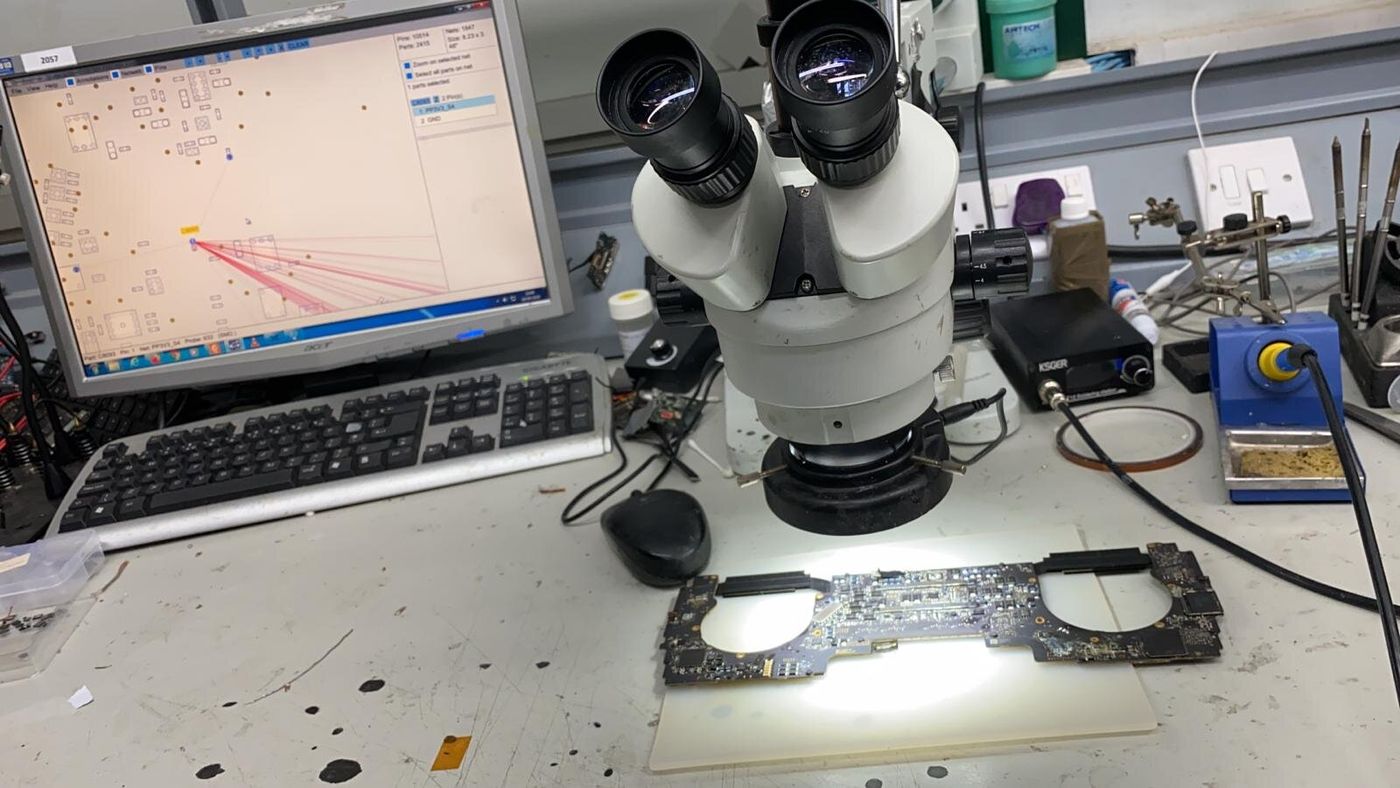
- Motherboard repair
- Hinge and lid damage
- SSD upgrades and data recovery
Where memory, storage or charging parts are soldered to the board, a fault there is a board-level repair, not a part swap. That is the work we do. See every year on the ZenBook page.
Data recovery from a 2021 ZenBook
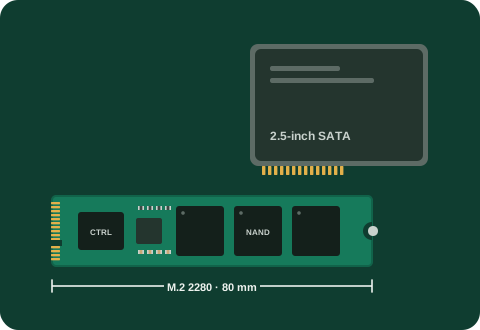
When one of these laptops will not start, the files are usually still there. ZenBooks from these years store everything on an M.2 NVMe SSD. The memory is usually soldered to the board, but the SSD is not, so when the laptop itself has failed we can take the SSD out and read it directly.
These laptops were sold with Windows 10, and many have since been upgraded to Windows 11, which can switch on device encryption by itself. If the drive is encrypted we need the BitLocker recovery key, which is normally saved in your Microsoft account.
| Initial consultation | Free |
| Deleted files on a standard hard drive | £99 + VAT |
| Logical recovery, 1TB to 4TB | £150 to £250 + VAT |
| Physical recovery, single drive | £450 + VAT |
| SSD recovery | £450 to £650 + VAT |
We start with a free consultation and give you a price before any recovery starts. See data recovery and the full price list.
Questions
Do you repair 2021 ZenBook laptops outside London?
Yes. We collect by insured courier from anywhere in the UK and send the laptop back the same way.
My ZenBook is not in the 2021 list. Can you repair it?
Almost certainly. The tables cover the models we see most. Call 020 7394 2521 with the model number from the label underneath.
Can you recover my files if the laptop will not turn on?
In most cases, yes. The SSD in a ZenBook can be removed and read directly, even when the motherboard has failed. The first look is free.
Get a quote
Tell us the model and what is wrong, and we reply with a quote. Bring the laptop to our London workshop at 80 Willow Walk, Unit 1, London SE1 5SY, or have it collected by insured courier from anywhere in the UK. Nothing is done until you have agreed the price.